
A sponsor's workspace, and a sponsee's simple companion
One login covers both. A sponsor who is also somebody's sponsee switches hats without a second account.
Getting started
Create your account
Sign in with an emailed code — no password to forget. Say whether you sponsor, are sponsored, or both. You can be both; one login covers it.
Invite your sponsees
You get an invite code for each person. They enter it, and the two of you are paired. If they'd rather stay in text messages, add their cell and let the SMS bridge do the rest.
Work the steps together
Assign the work, watch it come back, leave your notes, mark the milestones. Keep the human part exactly where it was — on the phone, in the rooms, over coffee.
For sponsors
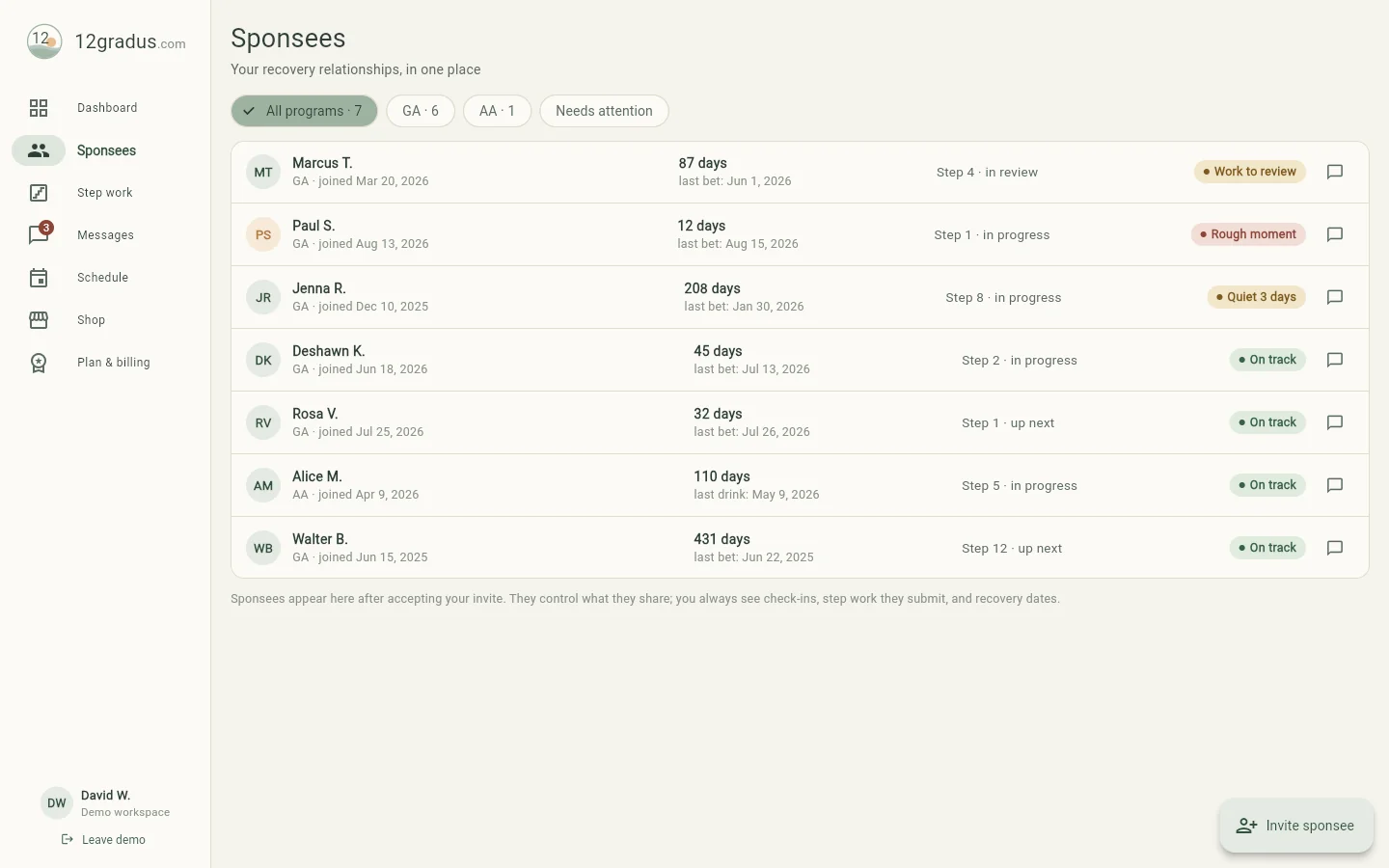
Everyone you carry, on one screen
The dashboard opens on what changed: who checked in, who didn't, what work came back, and what's on the calendar. Each sponsee has a profile with their program, recovery date, contact details, current step, and coaching notes that stay on your side of the relationship.
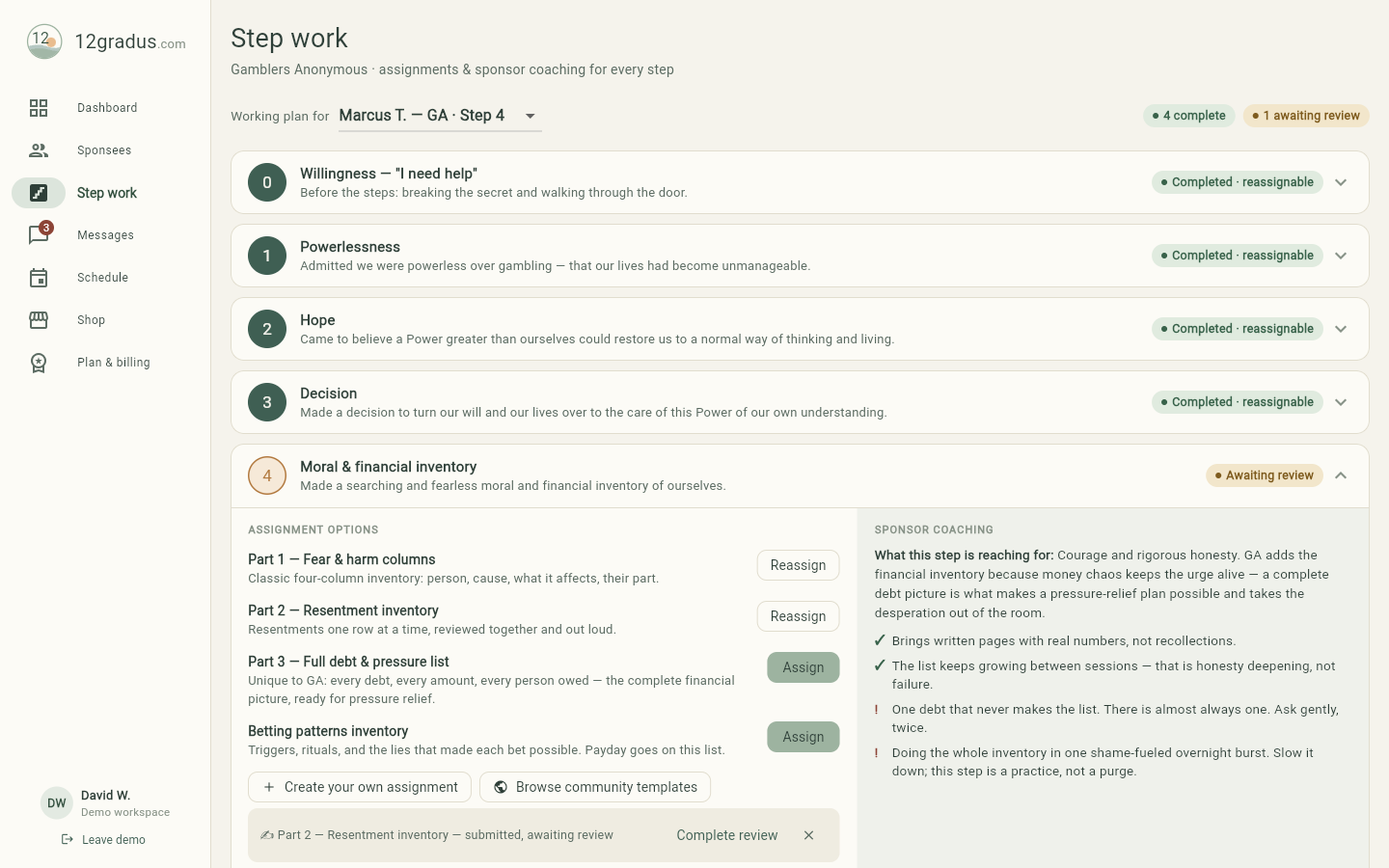
- Step 0 through 12 with a built-in library, plus your own assignments.
- Build a form with your own questions — mark any question a private reflection and you'll only see that it was answered.
- Share an assignment you wrote to the community commons, or borrow one somebody else shared.
- Sessions your sponsee is texted about the moment you set one; video rooms that need no accounts.
Step work
Assign it, and actually see it come back
Assign reading, writing, a meeting (in person, virtual or phone), an action, or a worksheet. Add instructions, a link, a due date and a review date. Paste a document you already use and 12Gradus turns its lines into questions.
Your sponsee fills it in on their own time — drafts save as they type — and turns it in when they're ready. You see how many questions are answered before they submit, so a stall is visible while it's still a nudge and not a relapse.
For sponsees
Free, quiet, and yours
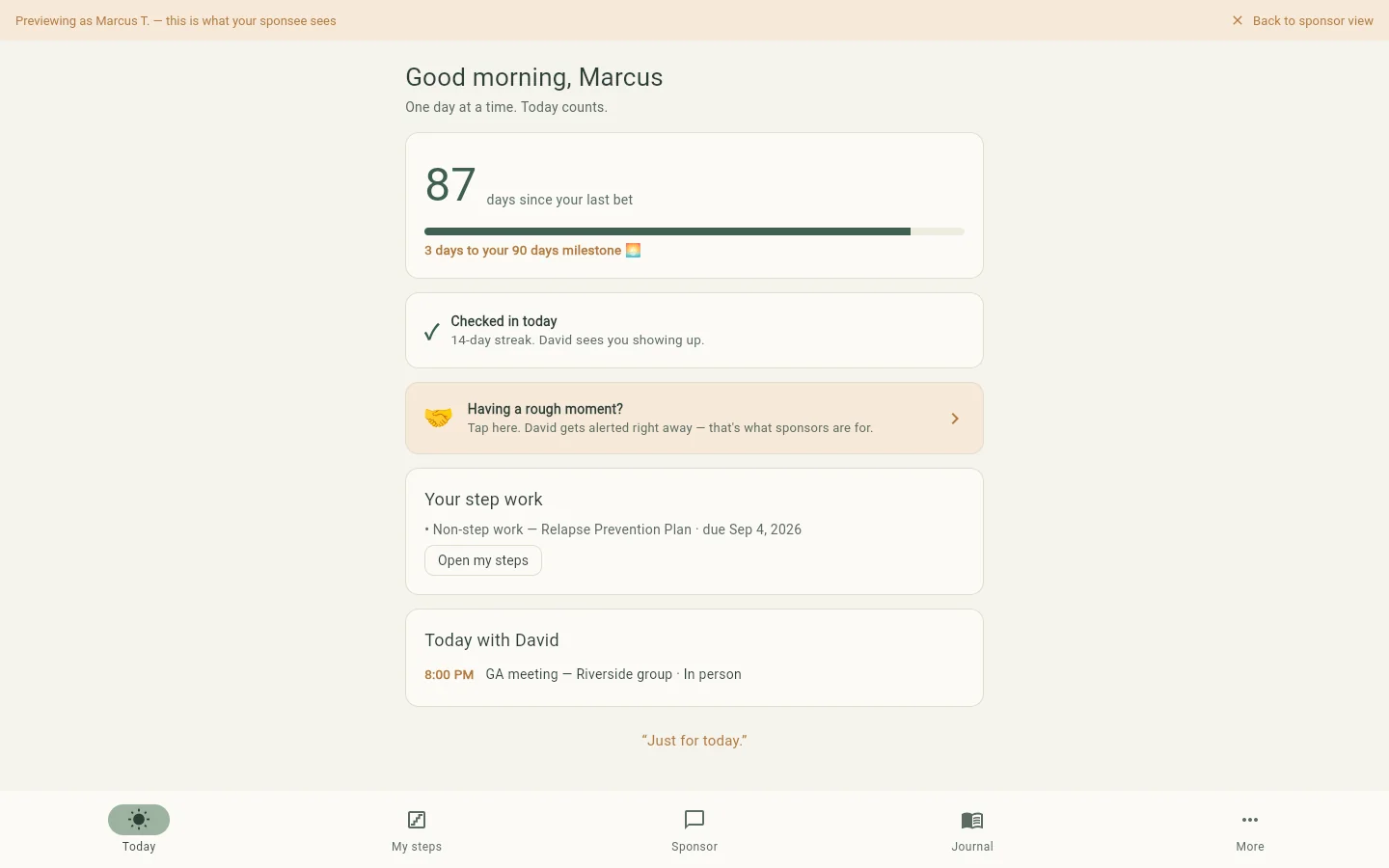
A sponsee sees a Today screen: their days, their check-in, what their sponsor asked for, and a rough-moment button that's always one tap away. Their journal is theirs — any entry marked private is invisible to the sponsor, enforced in the database rather than hidden in the interface.
- A structured relapse-prevention plan, built with their sponsor and pulled up automatically in a rough moment.
- Milestones from 30 days to two years, counted honestly. A reset resets the date — never the relationship.
- Leave a sponsor and keep your own history. Your address and contact details stay private to you.
Under the hood
The unglamorous parts we did anyway
- Row-level security
- Every table enforces who may read and write each row and each column, per operation — not a filter in the app that a crafted request could walk around. It's tested by an adversarial suite that tries to break it as three different users.
- Anonymity by default
- First name and last initial everywhere a name appears. No public profiles, no directory, no social graph.
- Honest writes
- When a message or a rough-moment alert fails to send, the app tells you it failed and offers Retry. It never shows a checkmark it hasn't earned.
- Carrier-registered SMS
- Double opt-in, STOP and HELP handled, and a registered campaign behind it — not a grey-route texting hack.
- Your account, your exit
- Delete your account from inside the app. Ending a pairing is a soft end: the sponsee keeps their own journal, reflections and history.