12gradus runs in your browser at
app.12gradus.com — nothing to install.
Anonymity comes first: sign up with your first name and last initial
(“David W.”), never your full name.
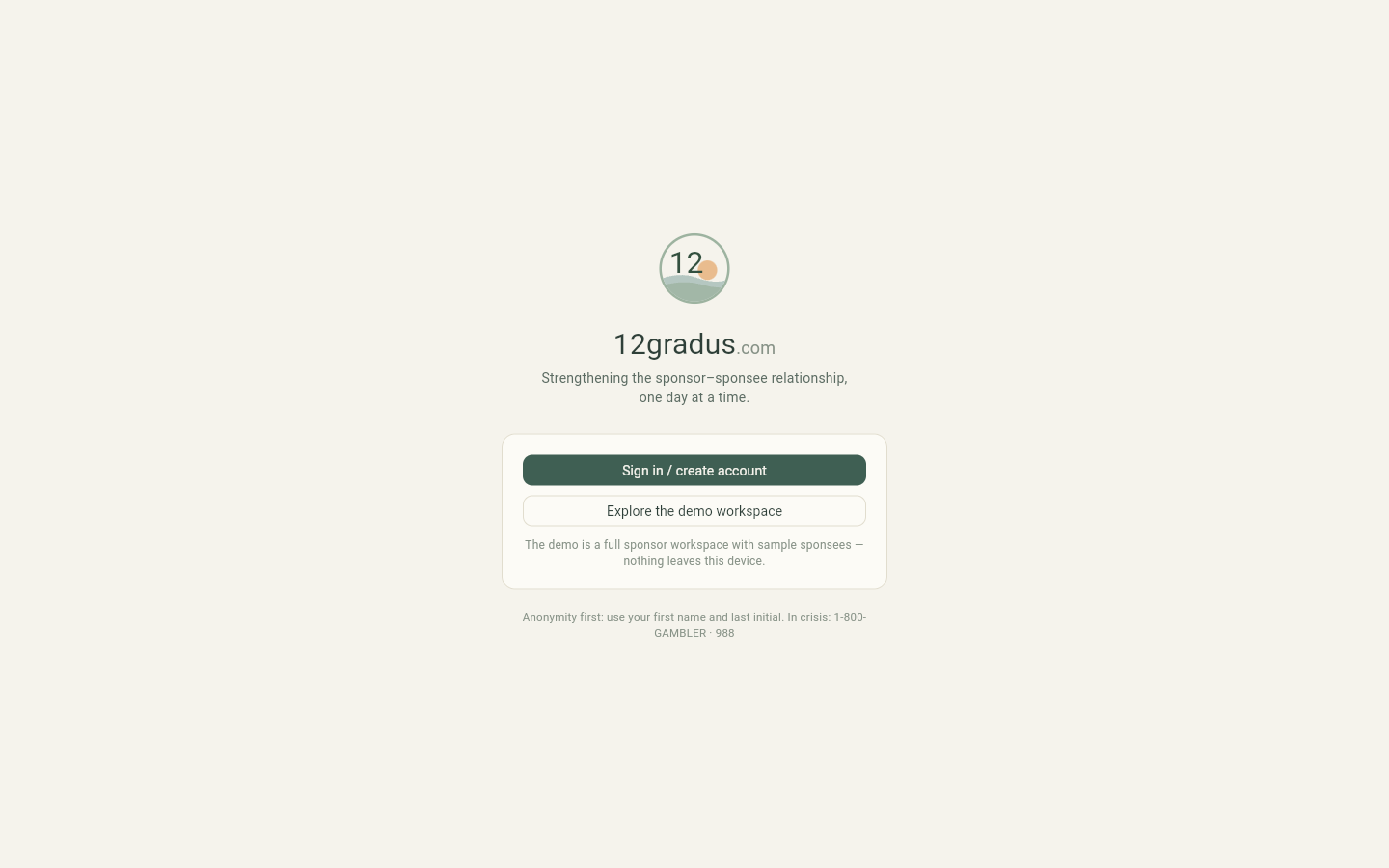
The front door: sign in, create an account, or explore the demo workspace.
Sponsors create an account and pick a plan (beta testers: choose a plan and
enter your discount code on the checkout page — a 100%-off code won’t ask for a card).
Sponsees never pay: your sponsor sends you a 6-letter invite code, and
entering it at sign-up connects you to them.
Just looking? “Explore the demo workspace” opens a full sponsor
workspace with sample sponsees. Nothing you do there leaves your device.
One login, two hats. A sponsor is usually also a sponsee working their
own program. The same account can hold both roles and switch between them — look for
“My recovery” / “My sponsor workspace.”
FOR SPONSORS
Your sponsor workspace
Everything about the people you walk with — check-ins, step work, messages, and
milestones — organized so no sponsee is unintentionally left by the wayside.
The dashboard: who needs you today
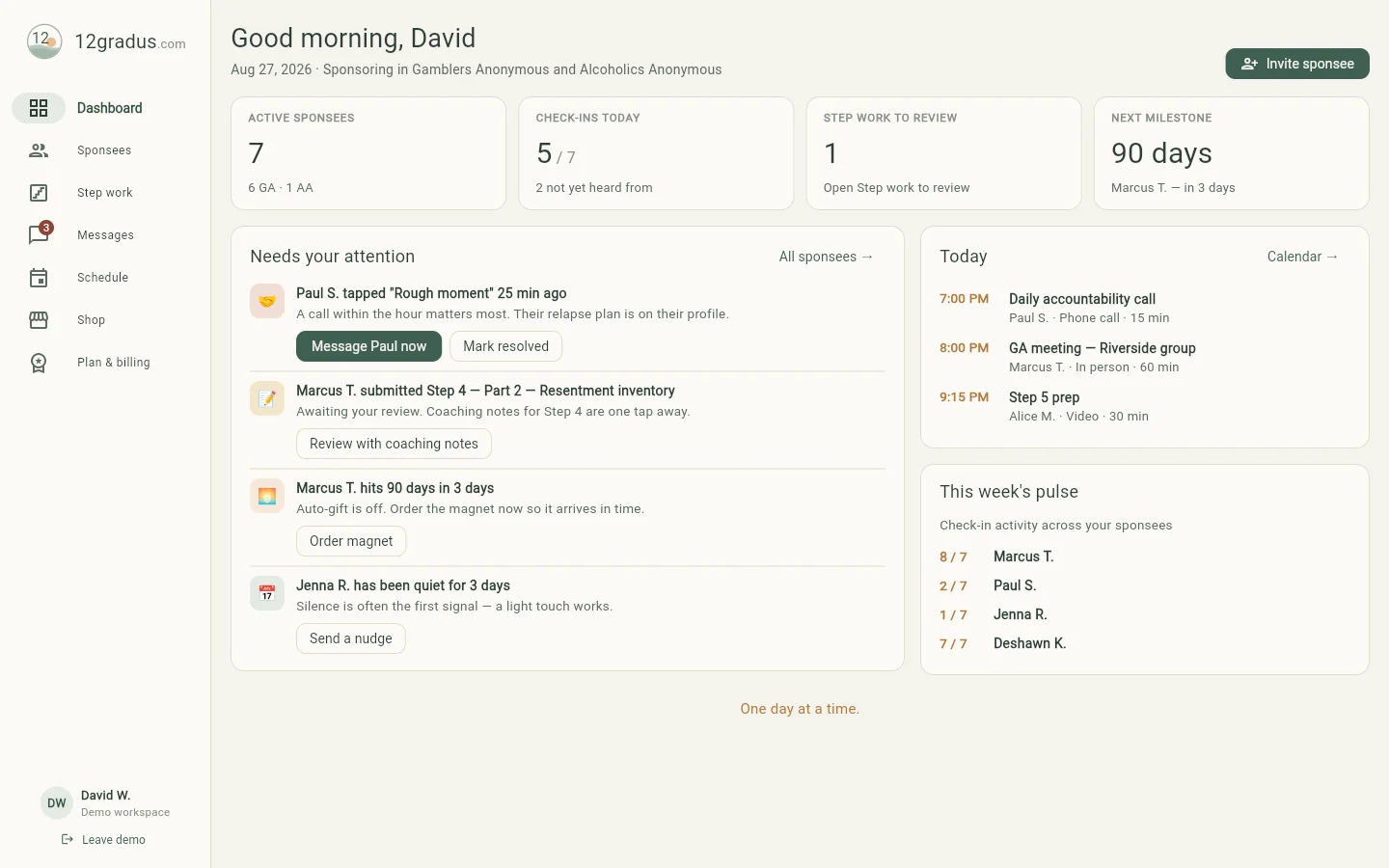
Your morning glance. The top row counts active sponsees, today’s check-ins, and step work
waiting on you. Needs your attention ranks what matters right now — a rough-moment
alert always rises to the top, followed by submitted work, upcoming milestones, and sponsees
who’ve gone quiet. This week’s pulse shows check-in activity at a glance;
silence is often the first signal.
A rough moment, a submission to review, a milestone to celebrate — triaged for you.
Invite and manage sponsees
Tap Invite sponsee to generate a 6-letter code; your sponsee enters it when they
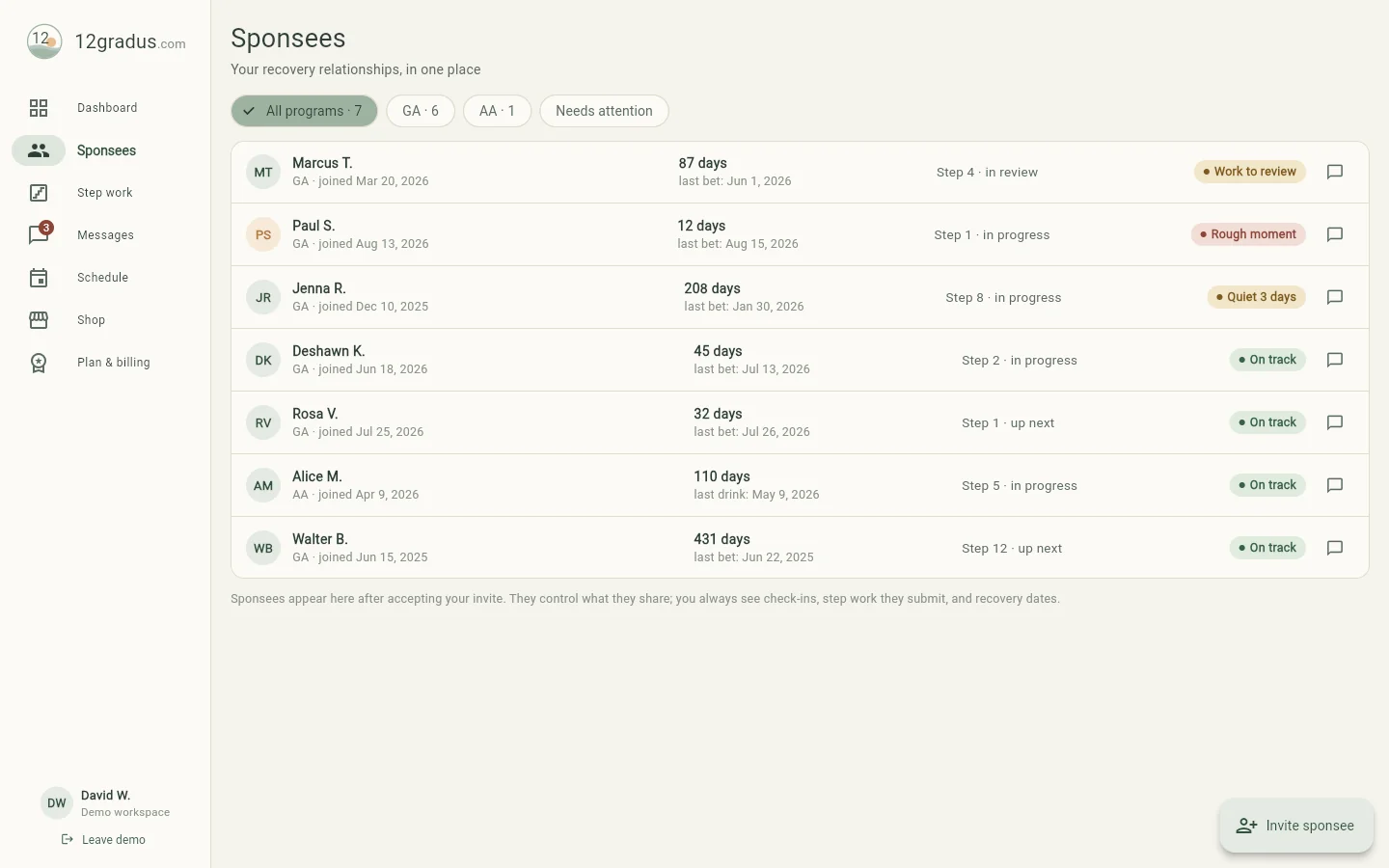
create their free account, and the pairing is automatic. The roster shows each person’s days
count, current step, and status pill — filter by program or by “Needs attention.”
All 33 twelve-step fellowships are supported; each sponsee tracks in their own program.
The roster: recovery days, current step, and who needs a call — in one look.
The sponsee profile
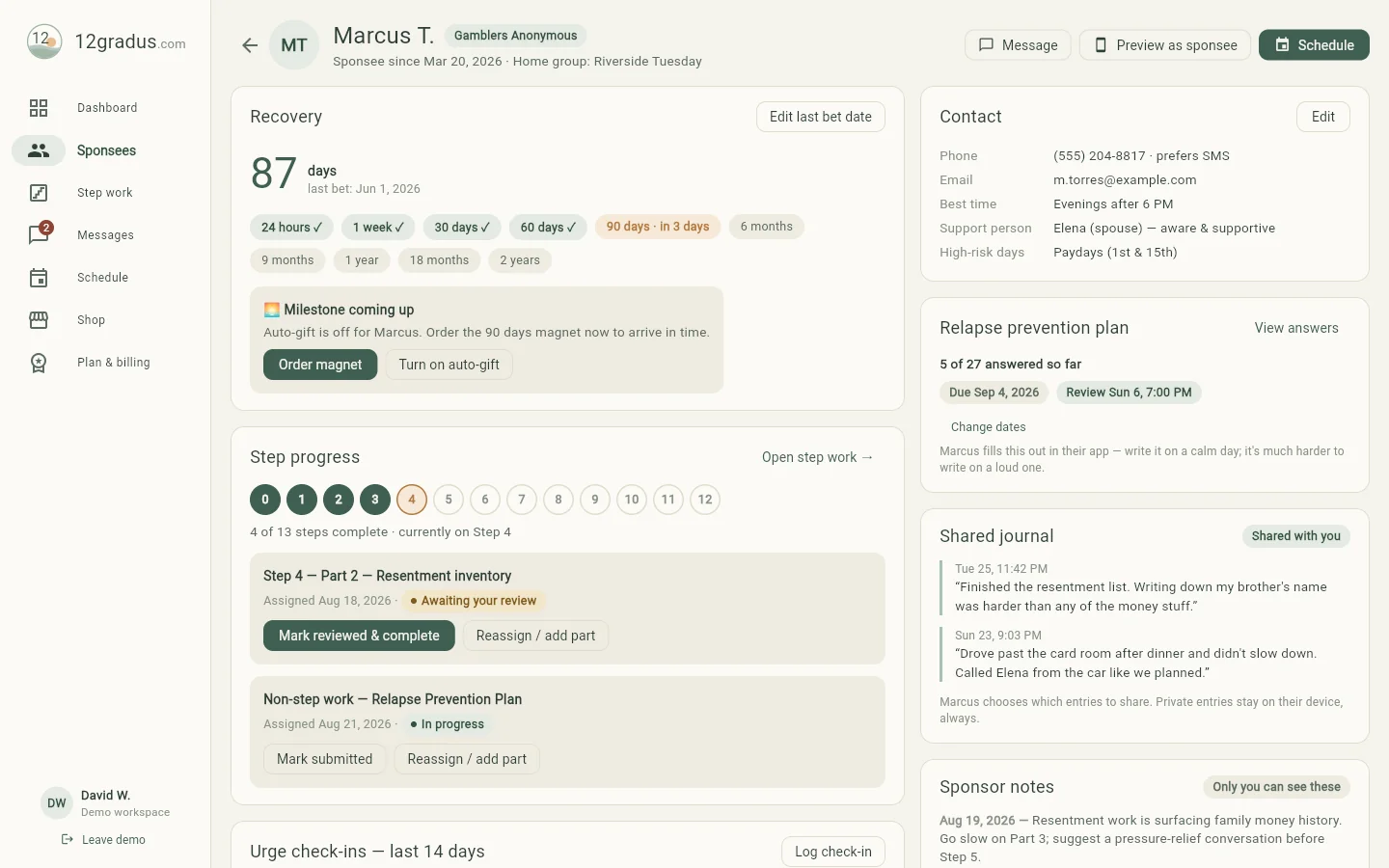
One page per person: recovery days and milestone track, step progress, urge check-in
sparkline, contact details with high-risk days, their shared journal entries, and your own
notes. The Relapse prevention plan card lets you assign the full written plan with a
due date and a review date you’ll keep together — more on that in the sponsee guide below.
Marcus’s page: 87 days, Step 4 in review, prevention plan in progress, journal shared.
Your notes are yours. Sponsor notes are saved to your account over an
encrypted connection, so they follow you to any device — and only you can read them; the
database refuses everyone else, the sponsee included. Sponsees choose which journal entries
you can see.
Preview as sponsee (top right) shows you exactly what your sponsee
sees in their app — useful when you’re walking them through something by phone.
Step work: assign, coach, review
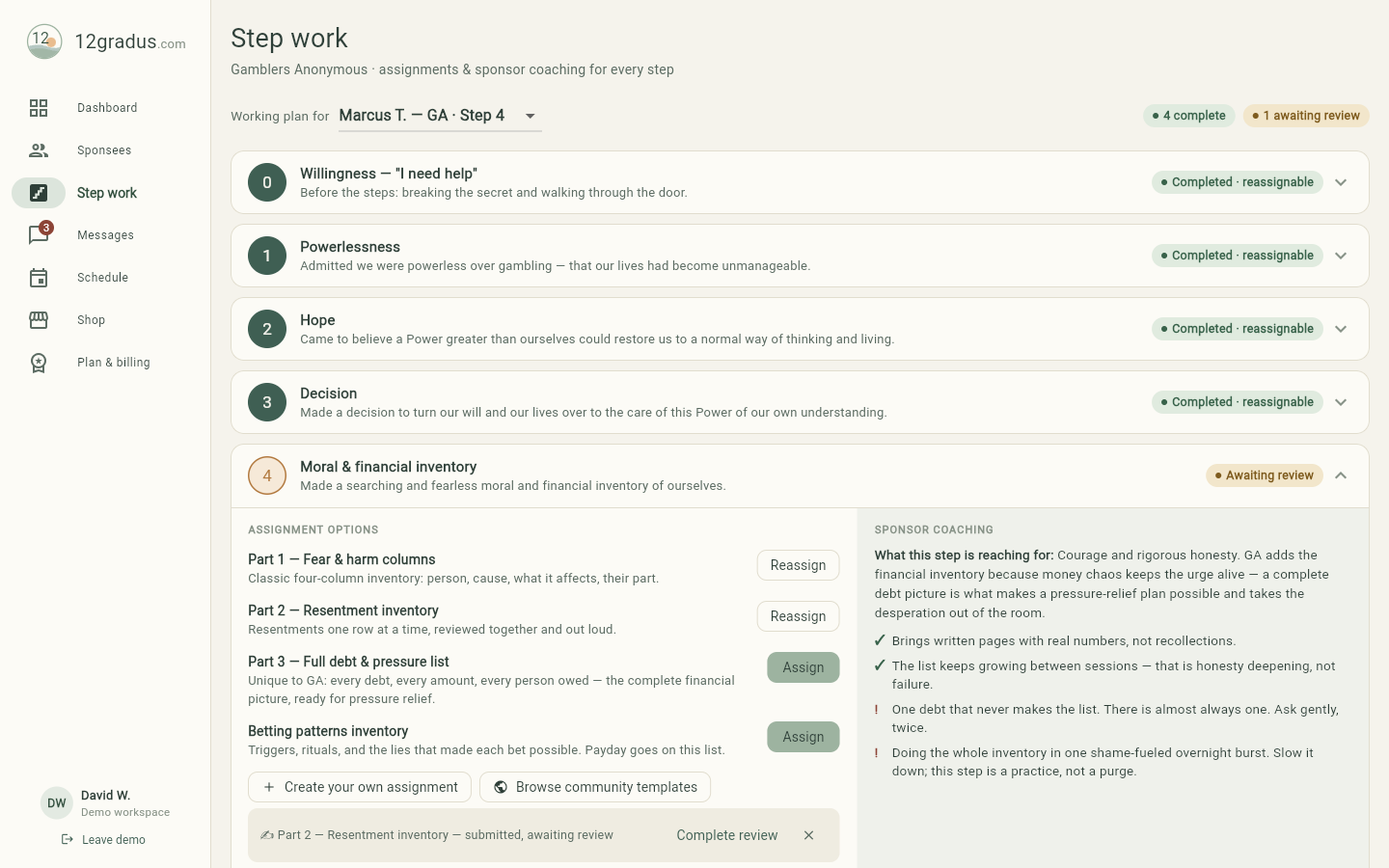
Every step from 0 (willingness) to 12 carries ready-made assignment options plus
sponsor coaching — what the step is reaching for, green flags, and red flags, written
for the realities of gambling recovery. Assign built-ins as-is, create your own
(writing, meeting, action, or worksheet — with in-app questions your sponsee answers,
including private-reflection questions only they can read), or browse community
templates shared by other sponsors. Submitted work lands on your dashboard;
review it together, then mark the step complete.
Step 4 for a GA sponsee: the financial inventory options, with coaching beside them.
Non-step work lives here too — check-in worksheets, gratitude lists,
and the relapse prevention plan all sit in their own section below Step 12.
Messages, SMS, and the rough-moment button
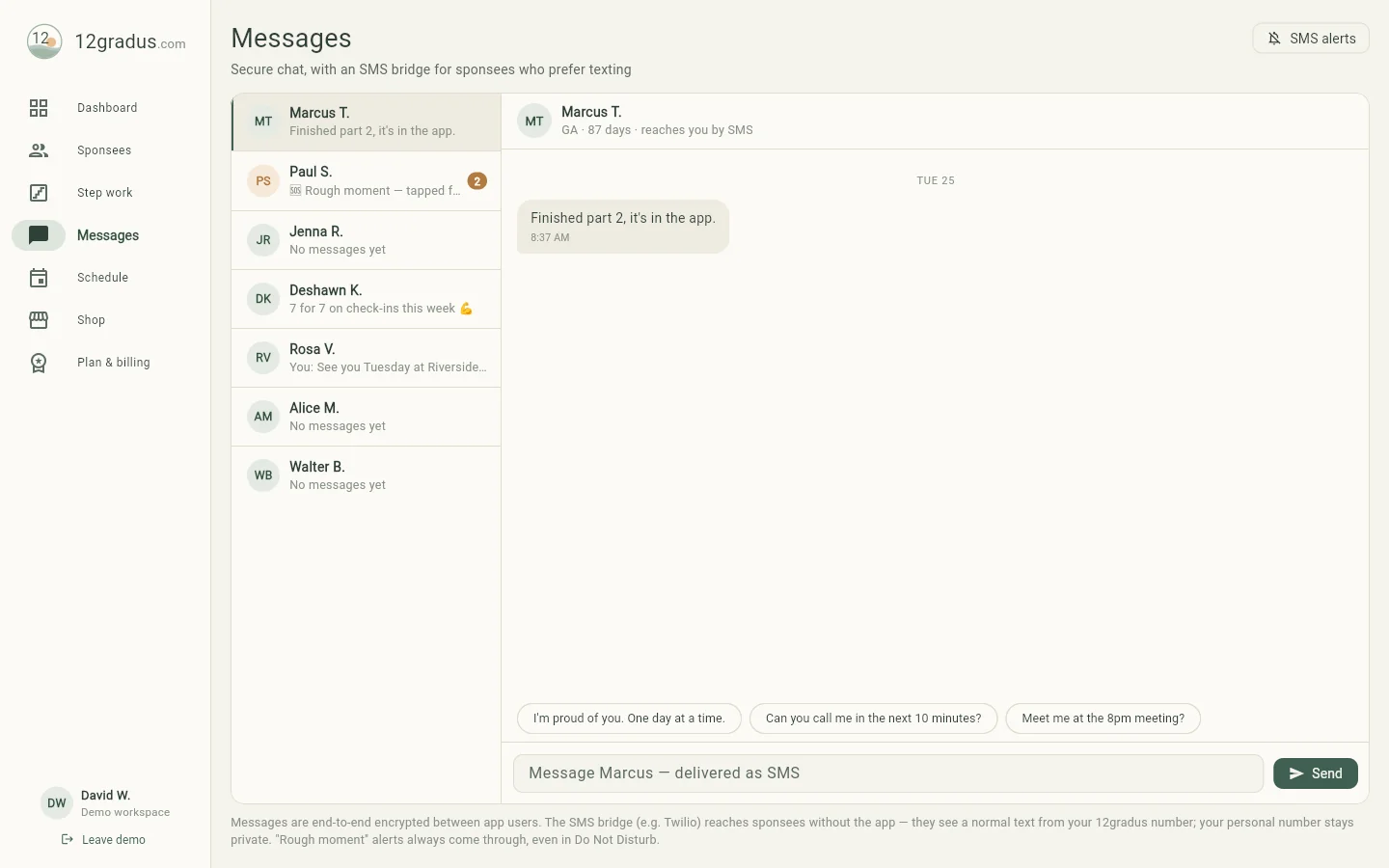
Chat with each sponsee in one thread. Sponsees who prefer texting get your messages as a
normal SMS from your 12gradus number — your personal number stays private — and their
replies land right back in the thread. When a sponsee taps “Rough moment”, you’re
alerted instantly; their written emergency plan is one tap away on their profile.
Secure chat with an SMS bridge — and quick replies for the moments that matter.
SMS alerts for you: the button at the top right lets 12gradus text
you when a sponsee turns in work or taps Rough moment. Enter your cell, flip the
switch, and reply YES to the confirmation text.
Schedule: calls, step sessions, reviews
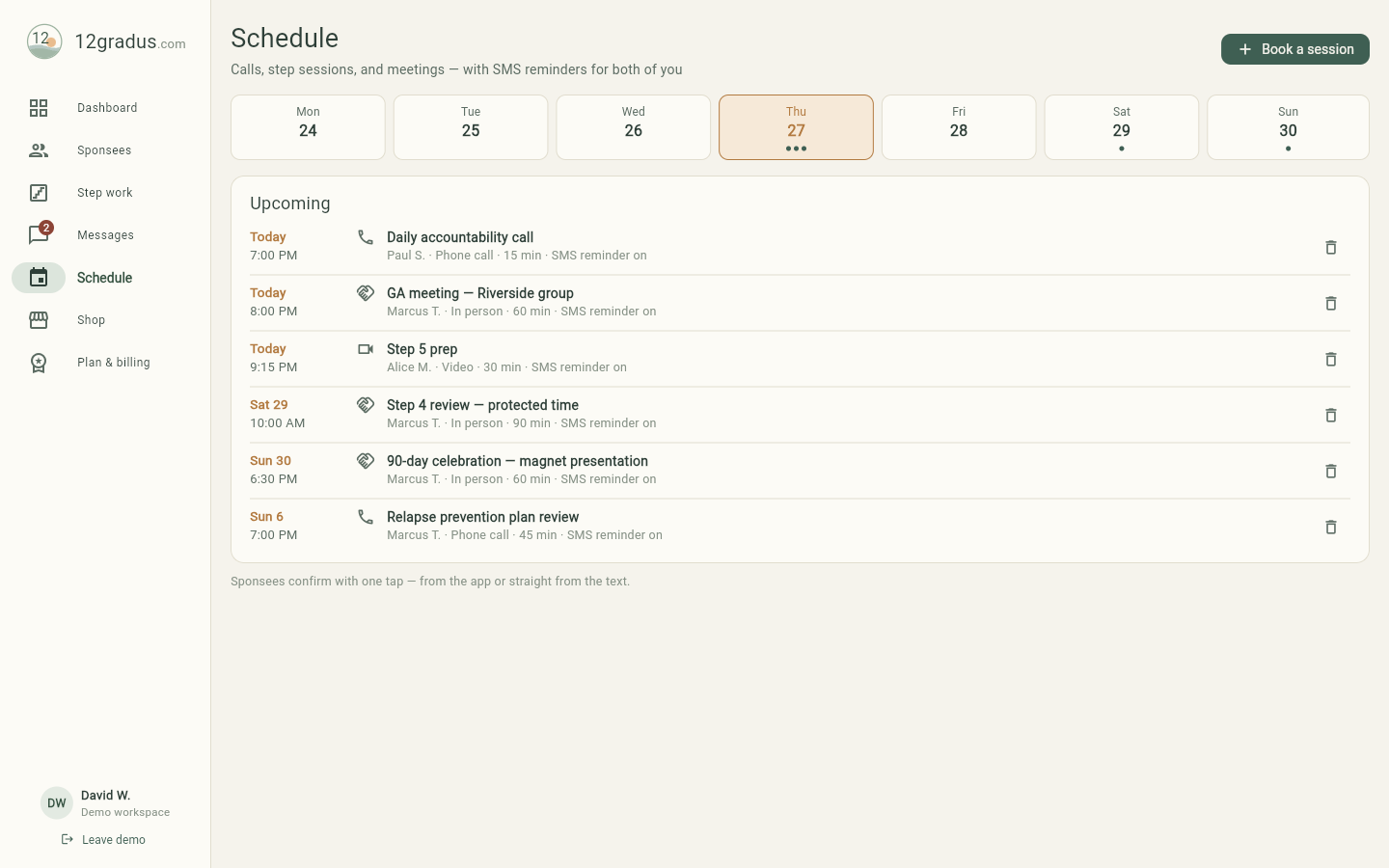
Book accountability calls, in-person meetings, video sessions (a private room link is
created for you), and plan reviews. Booking one texts your sponsee the details, and about an
hour before a confirmed meeting both of you get a reminder — each side on its own opt-in, so
you get yours if sponsor alerts are on and they get theirs if they are on the SMS bridge.
Texting STOP ends them like any other message. Video sessions include a Join button on each
side.
The week at a glance — including a relapse-prevention-plan review on the books.
Milestones and the shop
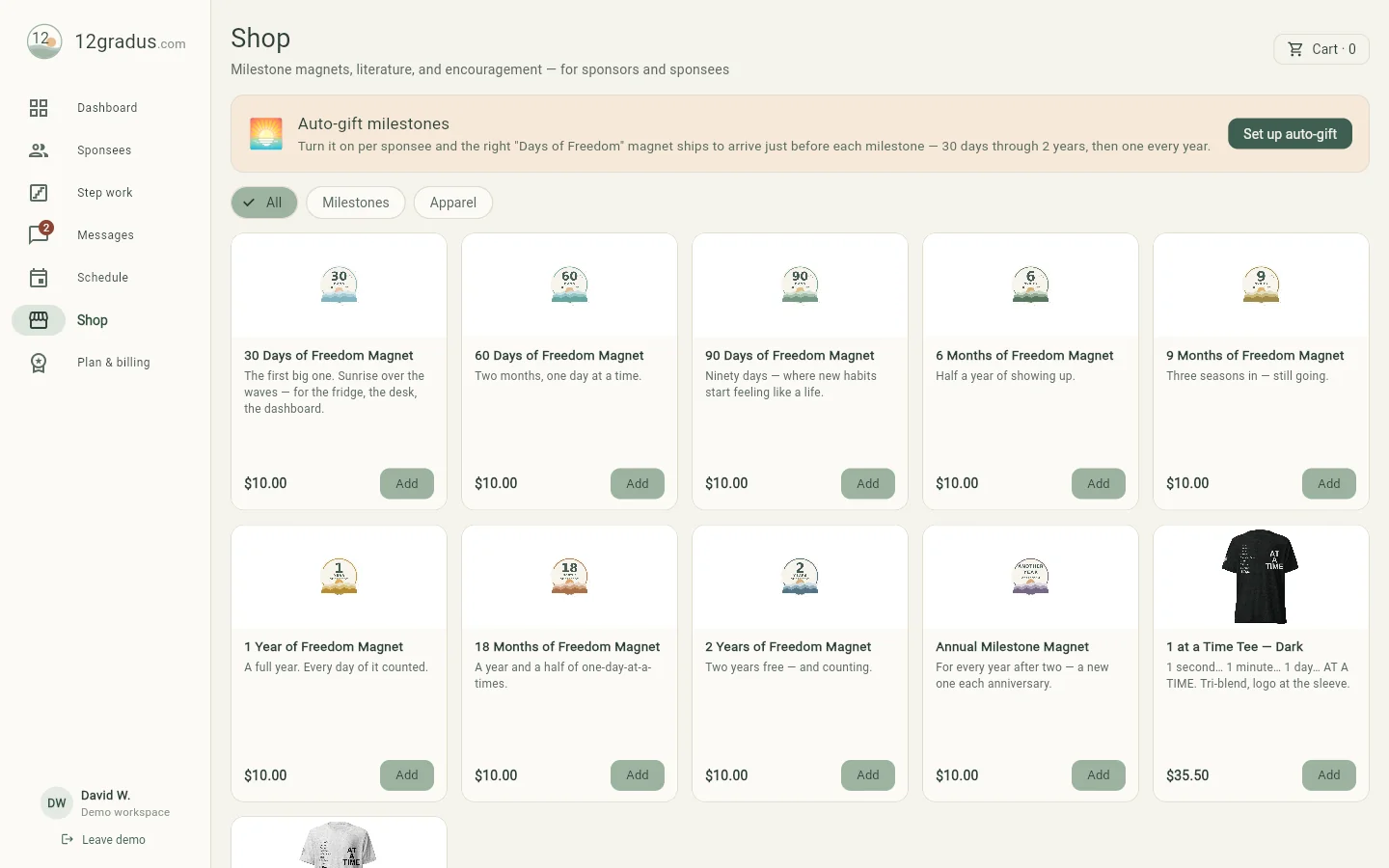
Every stretch of freedom deserves marking. The shop carries “Days of Freedom”
milestone magnets (30 days through 2 years, then annual) and 12gradus apparel. Turn on
auto-gift per sponsee and you stop having to remember the date: about ten days
before each milestone we email you — and text you, if sponsor alerts are on — so there is
still time for it to arrive. The right magnet is waiting in the Shop, and any they have
already passed are there too. You approve and check out: we never charge a card without
you, so nothing is ordered until you do.
Milestone magnets — a $10 way to say “I see you showing up.”
Plan & billing
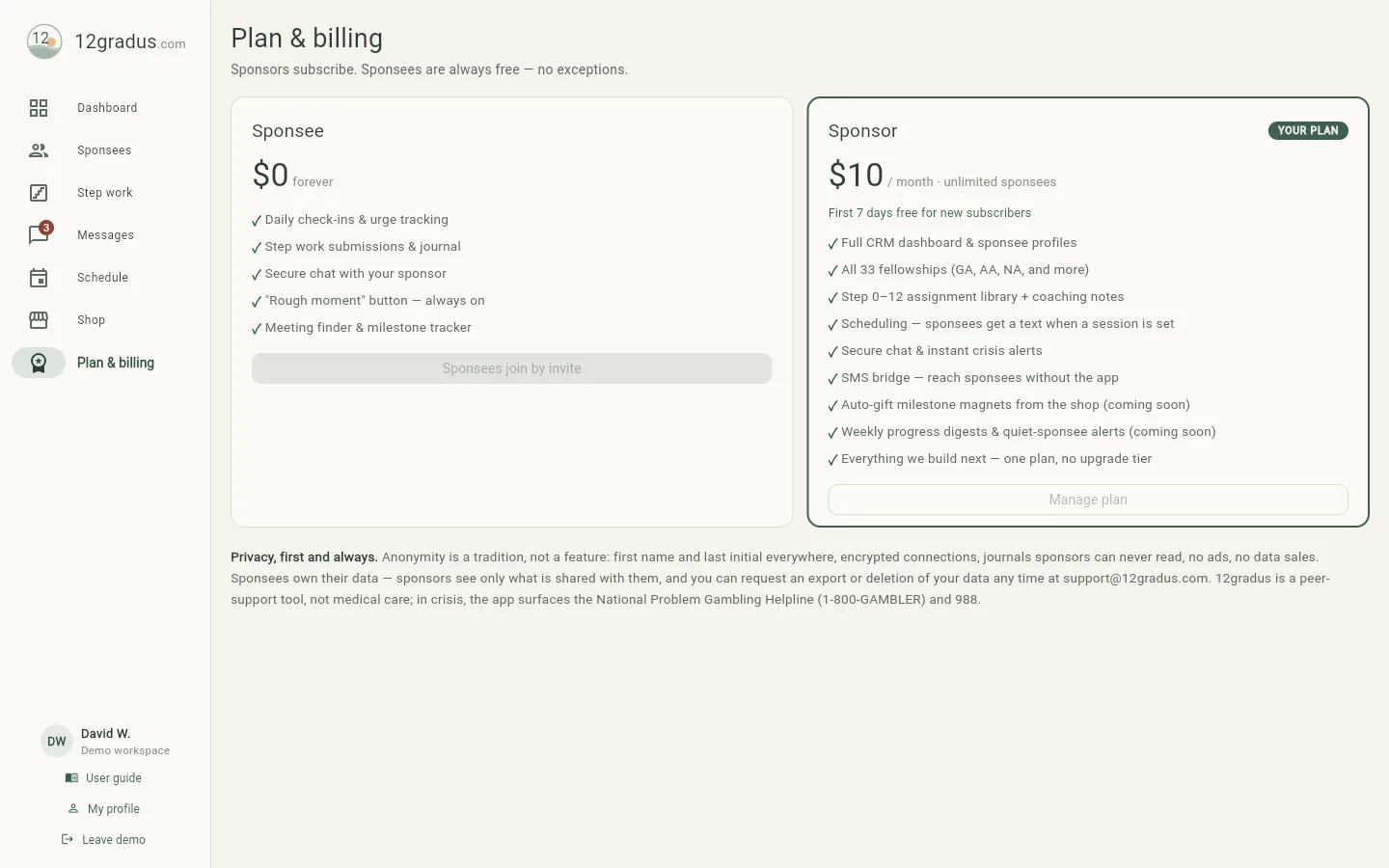
Sponsors subscribe to one plan — Sponsor, $10/month — and it covers everything:
unlimited sponsees, the SMS bridge, milestone reminders, and whatever we build next. There is no
higher tier. Sponsees are free forever, no exceptions. Manage your card, invoices, or cancellation
any time via “Manage plan.”
One paid plan for sponsors; being sponsored never costs anything.FOR SPONSEES
Your recovery, in your pocket
Your app is free, always. It’s built around one promise: your data is yours, and
your sponsor only ever sees what you choose to share.
Today: check in, and reach out when it’s loud
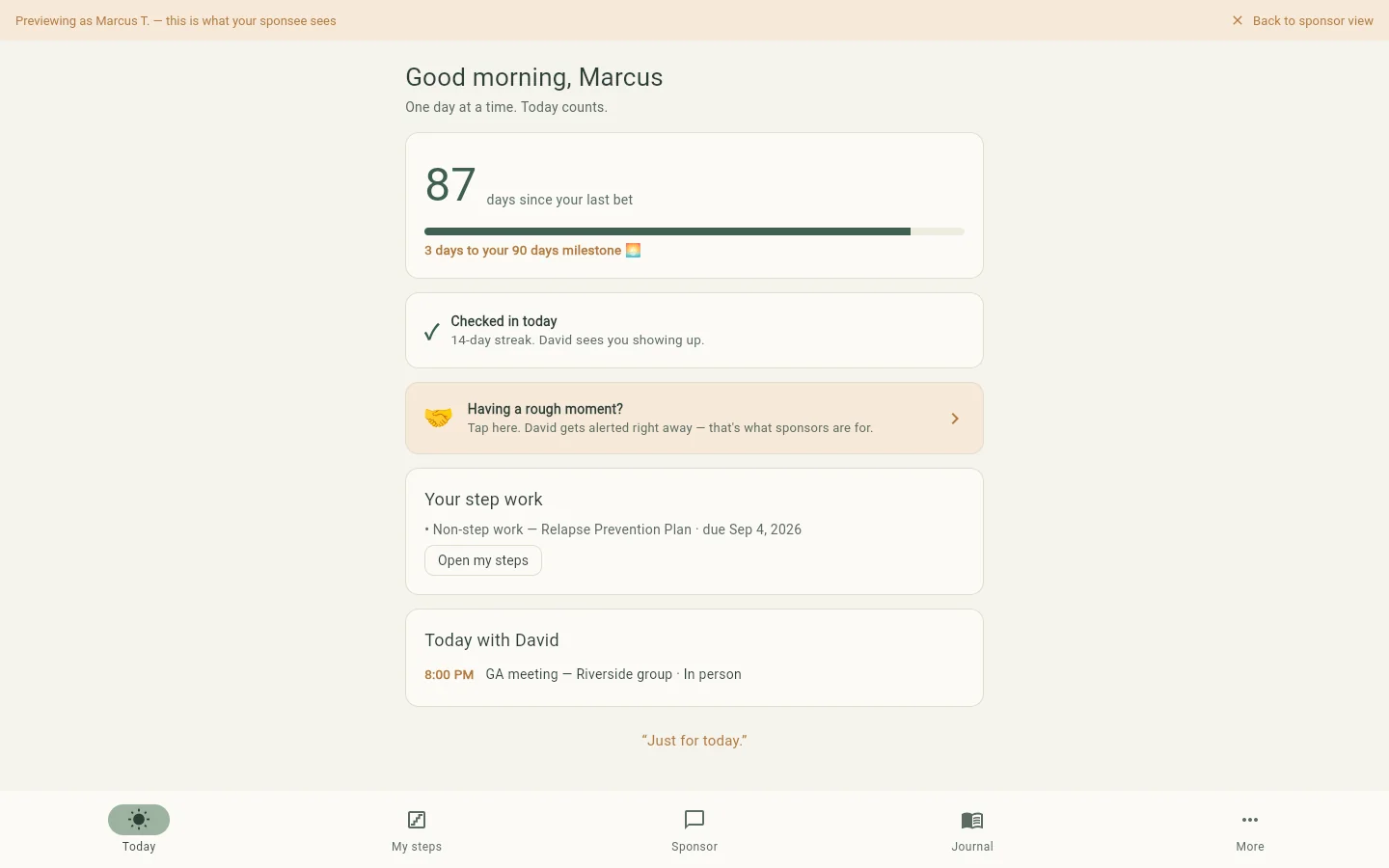
Your day starts here — your days count, progress to the next milestone, and the
daily check-in: how loud is the urge today, 1 to 5? It takes ten seconds and tells your
sponsor you’re showing up. When an urge gets loud, tap “Having a rough moment?” —
your sponsor is alerted instantly, and your own emergency plan appears right there with the
crisis lines. Reach out first, decide later.
87 days, checked in, three days to the 90-day milestone.
My steps: your work, turned in from the app
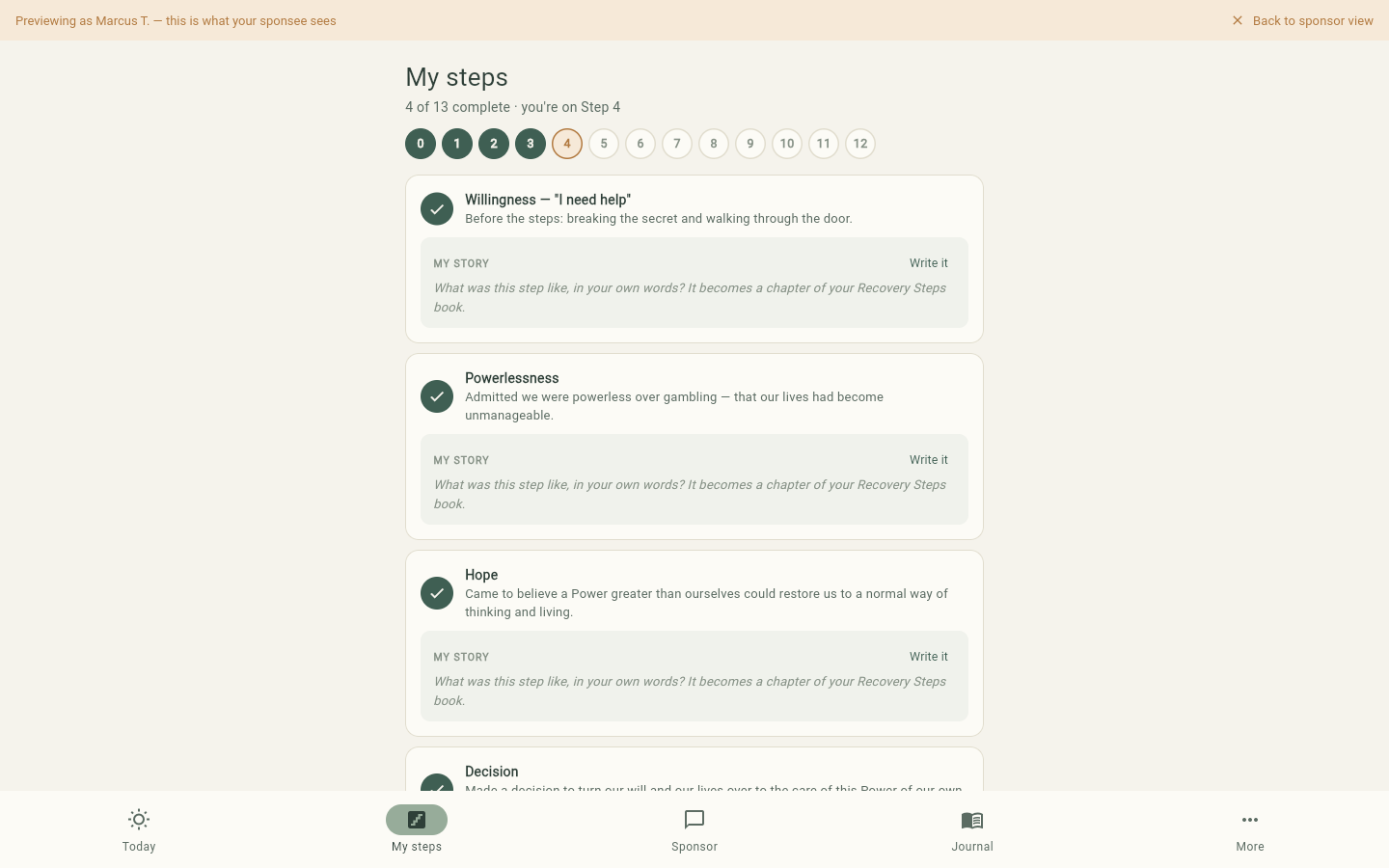
Your step journey lives here — steps you’ve completed, the one you’re on, and the work your
sponsor has assigned. Writing assignments open right in the app and save as you write;
turn work in when it’s ready and review it together. Questions marked with a lock are
private reflections: your sponsor sees only that you answered, never what you wrote.
After each completed step, write “My story” in your own words — those become the
chapters of your printable My Recovery Steps book.
Four steps down — each one a chapter of your story.
Your relapse prevention plan
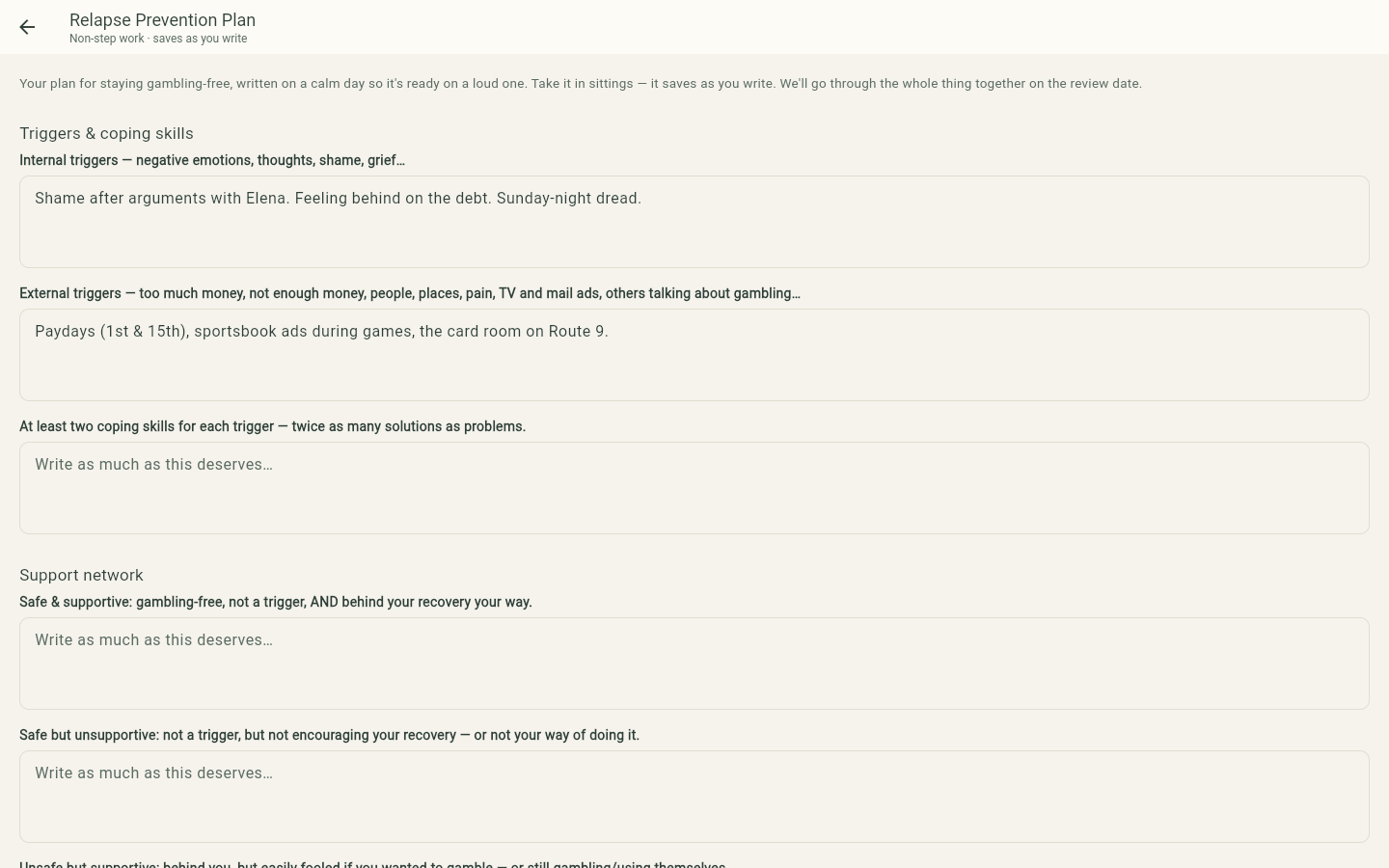
The most important document you’ll write: triggers and coping skills, your support network,
relapse flags, and a step-by-step emergency plan — written on a calm day so it’s ready on a
loud one. It has a due date, and a scheduled review where you and your sponsor go through
the whole thing together. Take it in sittings; it saves as you write. Your answers to the
emergency section show up automatically when you tap the rough-moment button.
The plan form — triggers, support network, flags, and your emergency plan.
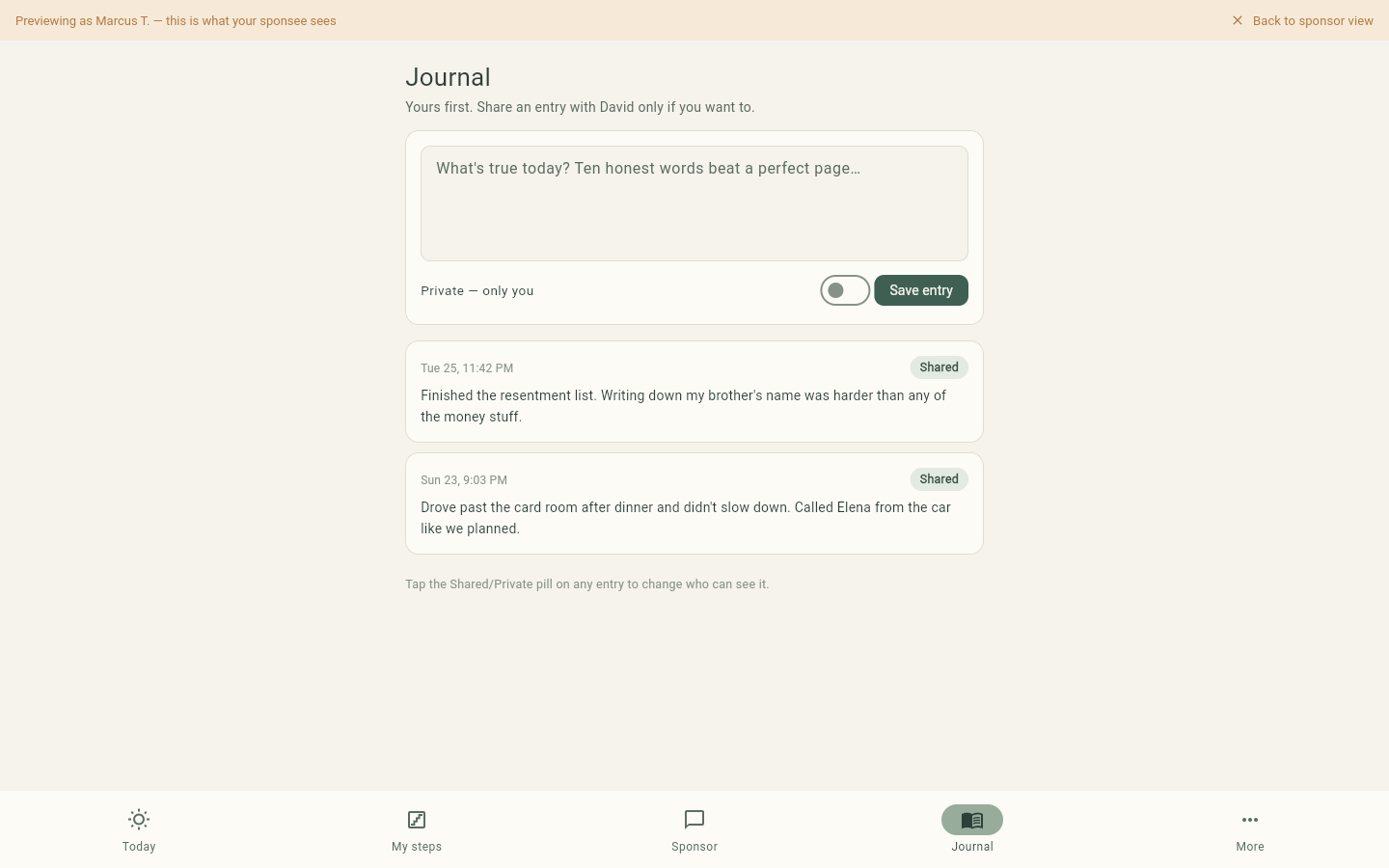
Journal: yours first, shared only if you choose
Write what’s true today. Every entry starts as yours alone — flip the toggle to share one
with your sponsor, or keep it private forever. Private entries never leave your side;
this is enforced by the server, not just the app.
Ten honest words beat a perfect page.
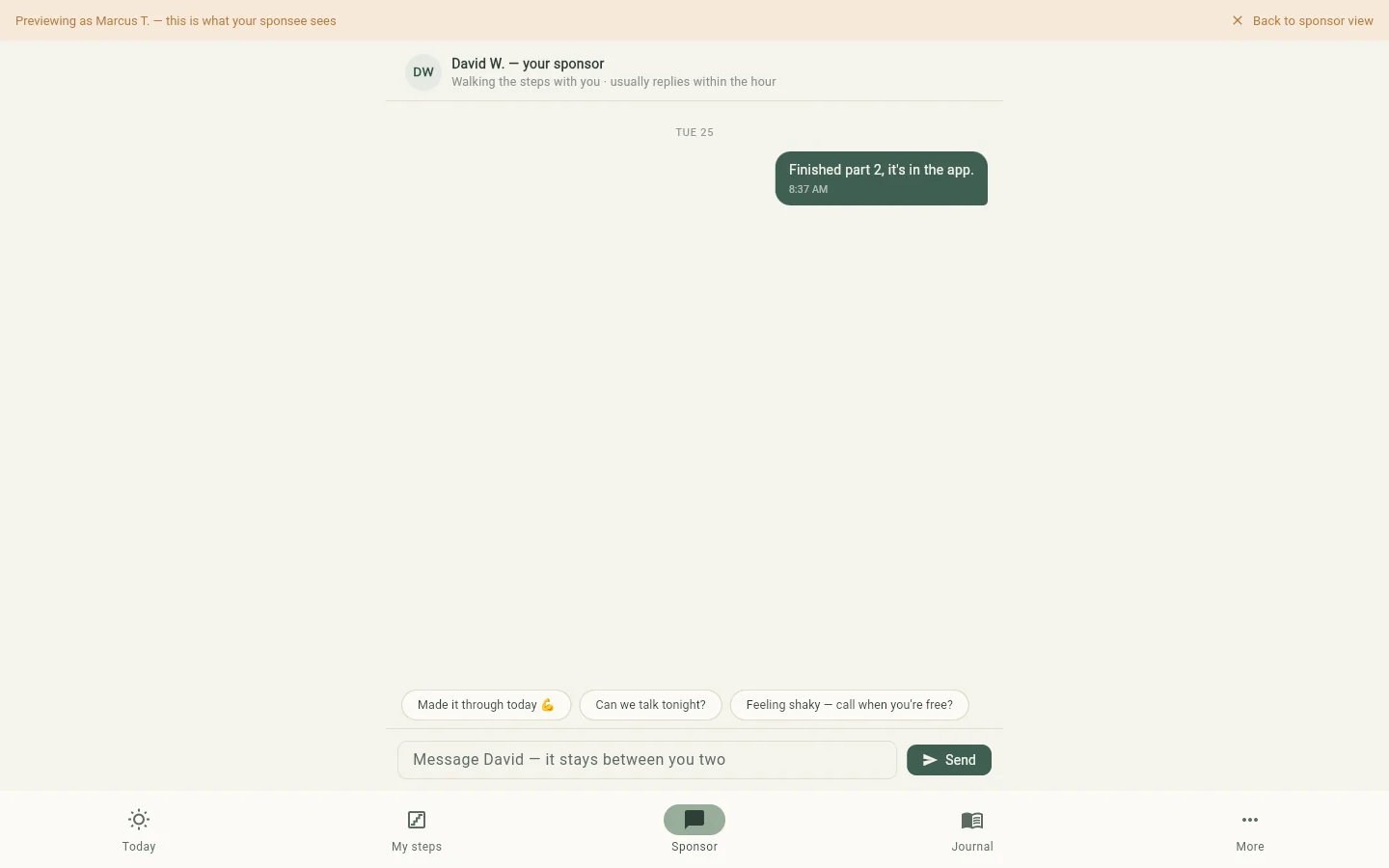
Chat with your sponsor
A private thread between the two of you, with quick replies for the common moments. If
you prefer texting, your sponsor’s messages arrive as normal SMS and you can reply by
text without opening the app — reply STOP any time to pause texts, START to resume.
It stays between you two.
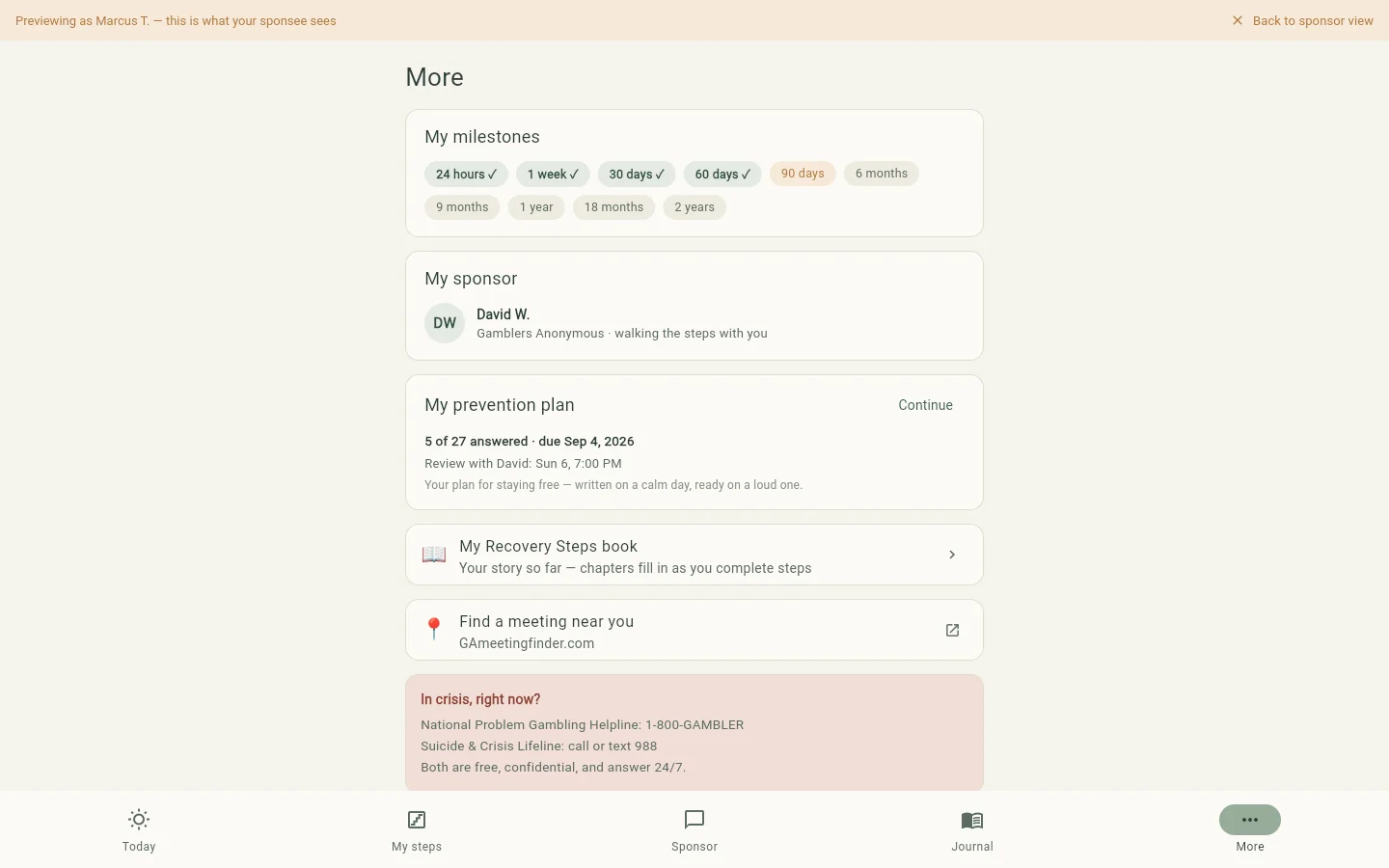
More: milestones, your book, and help right now
Your milestone shelf, your sponsor’s card, your prevention plan’s status and review date,
your printable My Recovery Steps book, and a meeting finder. The crisis lines are
always one tap away at the bottom.
Everything else — including help that answers 24/7.PRIVACY & SAFETY
The rules we never break
Anonymity is a tradition, not a feature. First name and last initial everywhere.
No ads and no data sales. You can sign in with Google if you want to, and it is used only to
prove the address is yours — your display name is still the one you choose, first name and
last initial, and nothing is shared back.
Sponsees own their data. Private journal entries and private reflections are
hidden from sponsors at the server level. Sponsor notes are readable only by the sponsor who wrote them — never by the sponsee.
Texting is double opt-in and stops the moment you text STOP.
12gradus is peer support, not medical care. It strengthens the human connection at
the heart of sponsorship — it doesn’t replace it, and it’s not treatment.
In crisis, right now?
National Problem Gambling Helpline: 1-800-GAMBLER
Suicide & Crisis Lifeline: call or text 988
Both are free, confidential, and answer 24/7.